Return a part on a purchase return back into your stock.
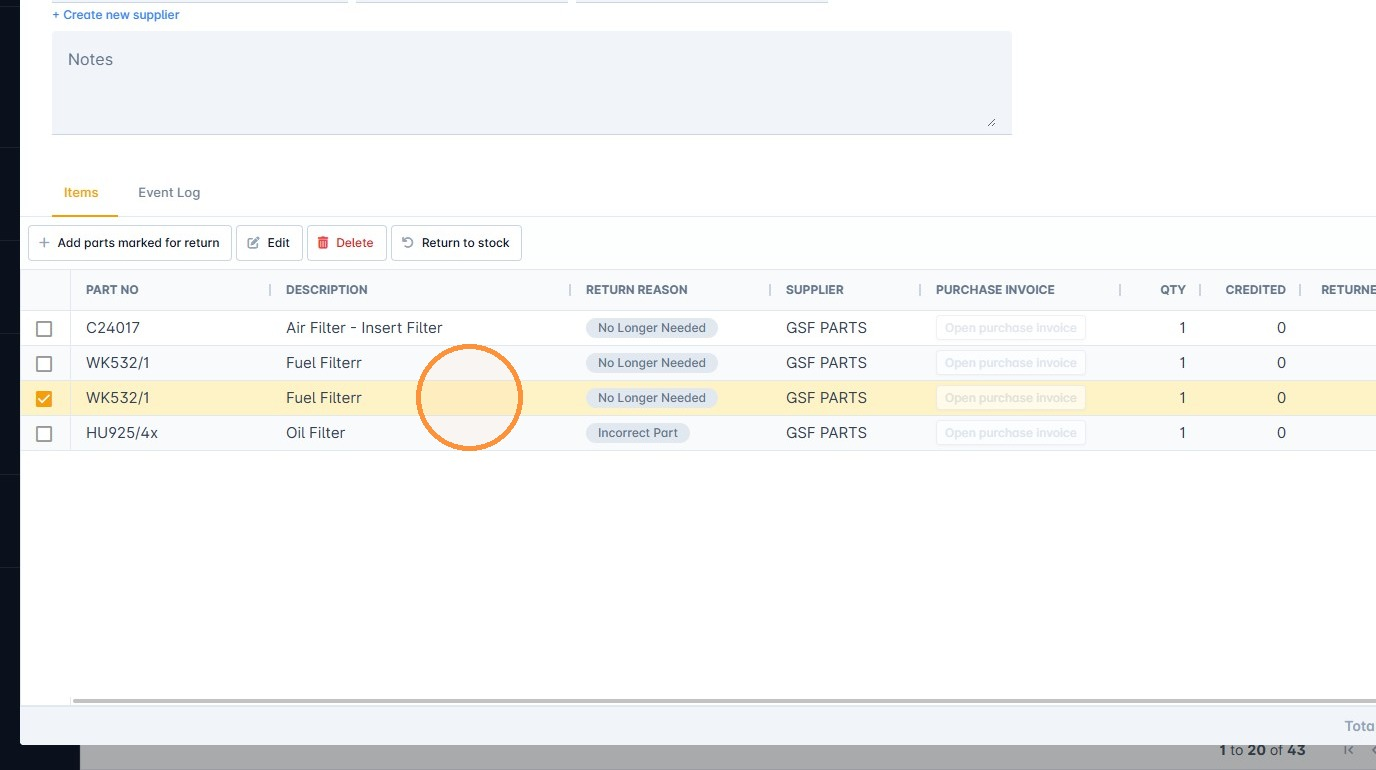
1. Open the purchase return and select the part you want to return to stock.
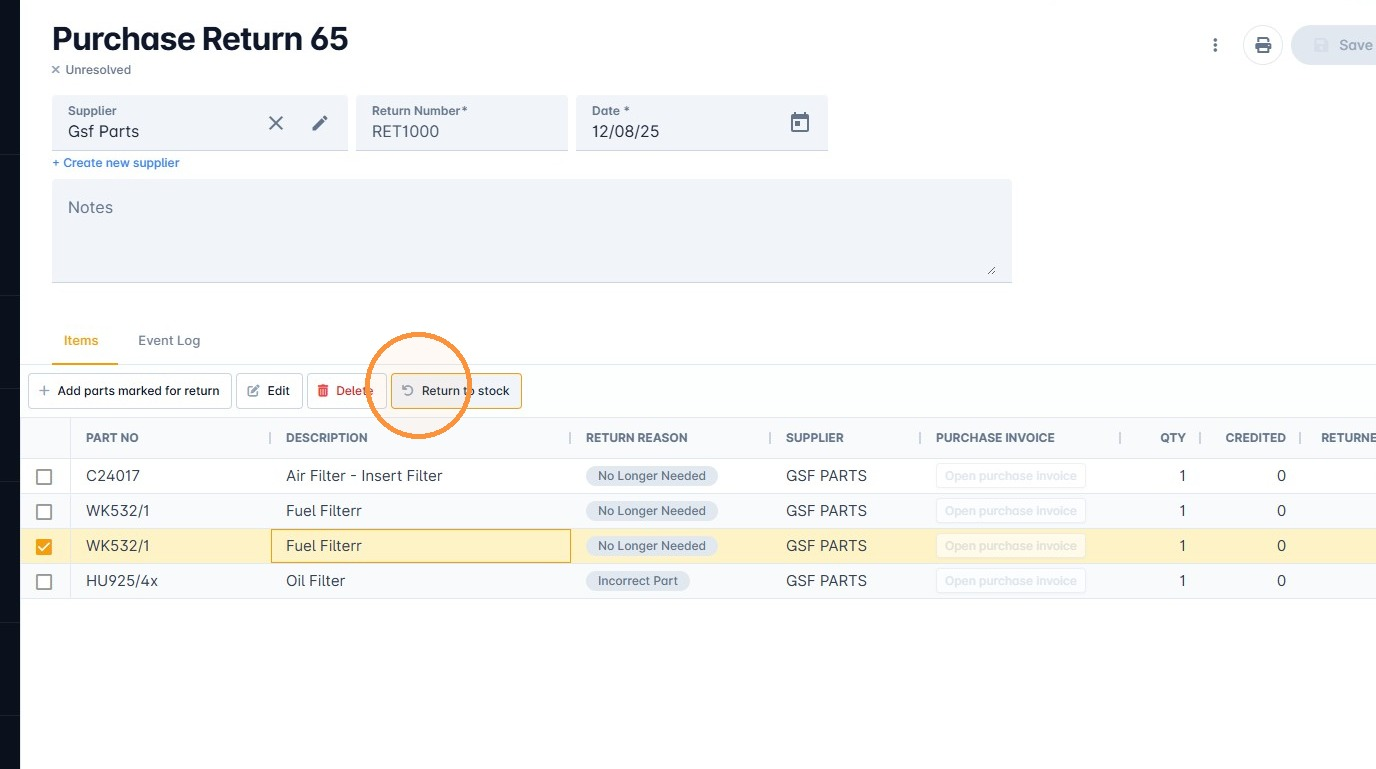
2. Click Return to stock.
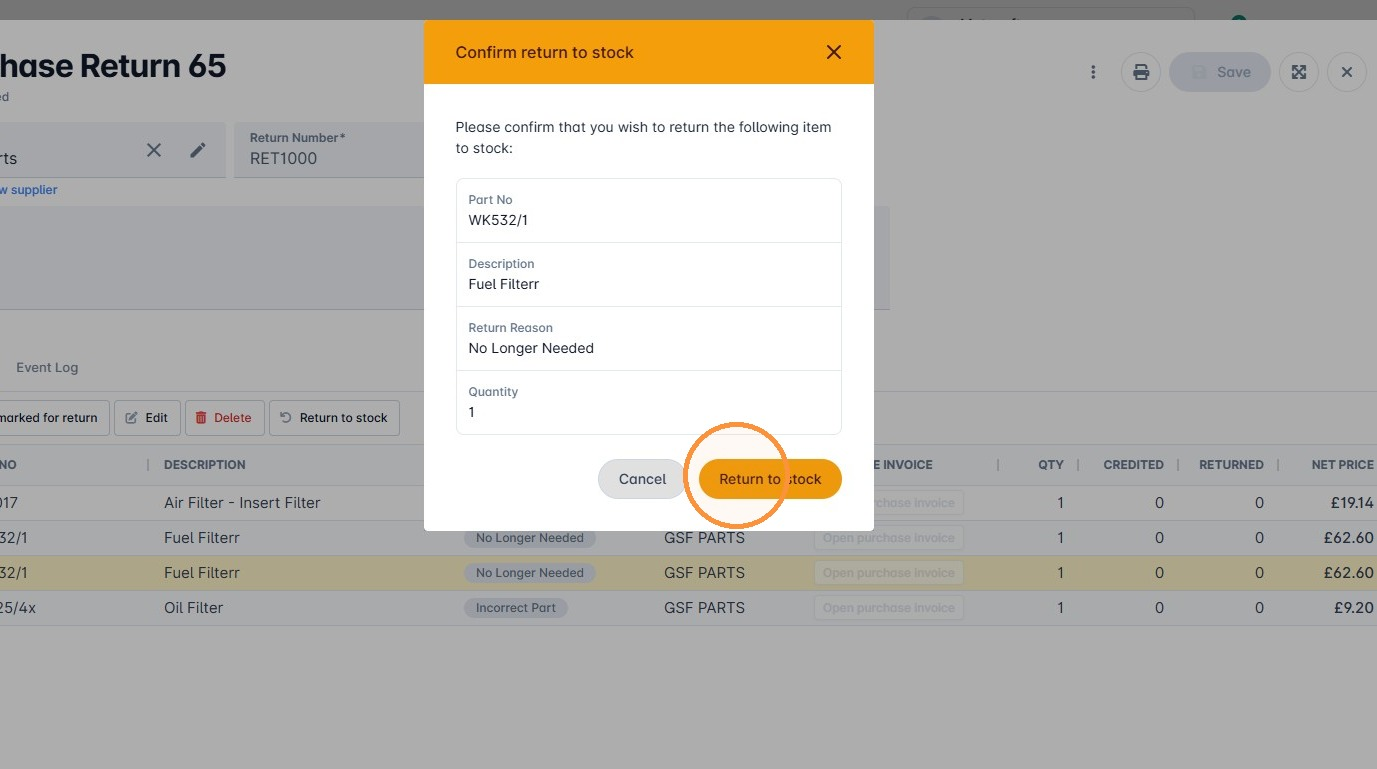
3. Confirm the item you are returning, then click Return to Stock.
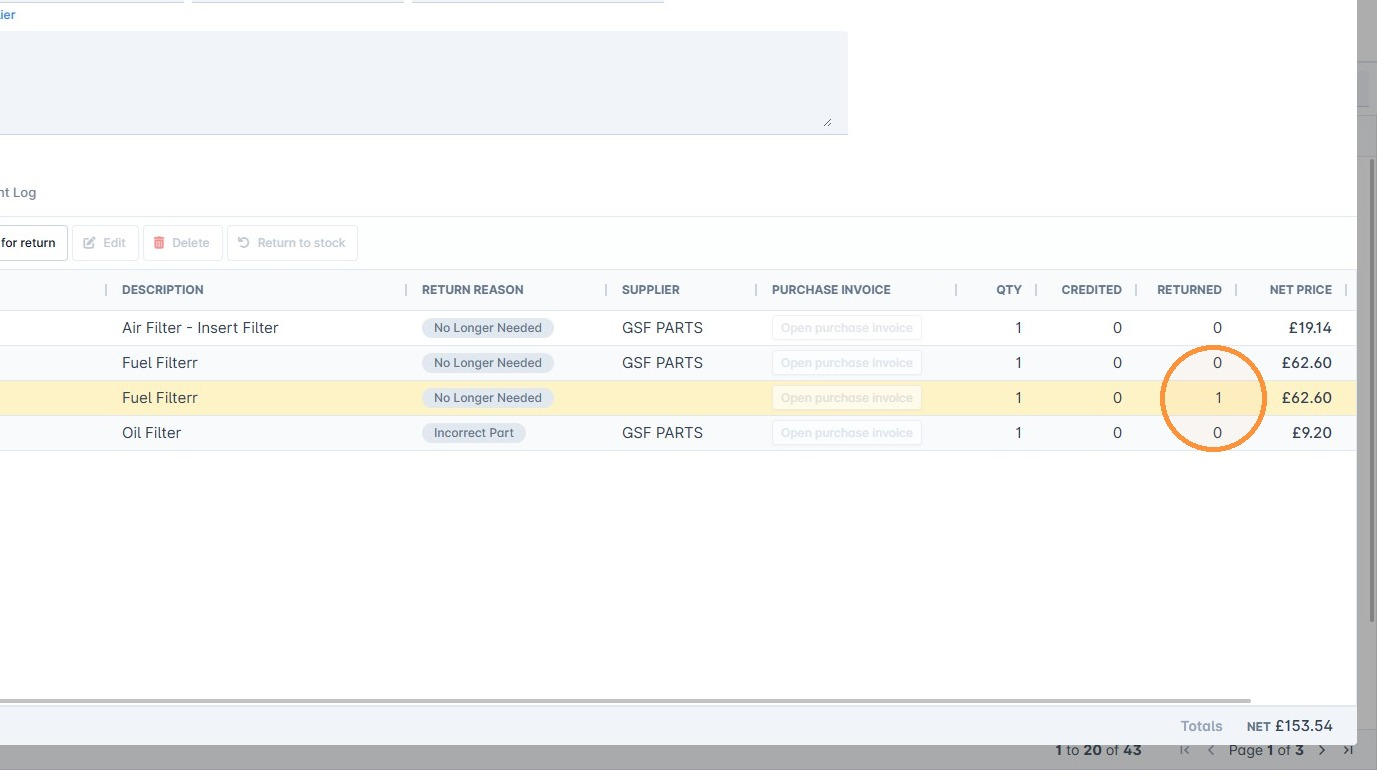
The grid updates the returned quantity to show the item has been returned.
Was this article helpful?
That’s Great!
Thank you for your feedback
Sorry! We couldn't be helpful
Thank you for your feedback
Feedback sent
We appreciate your effort and will try to fix the article