Add your payment link credentials to VGM so you can start sending payment links to customers.
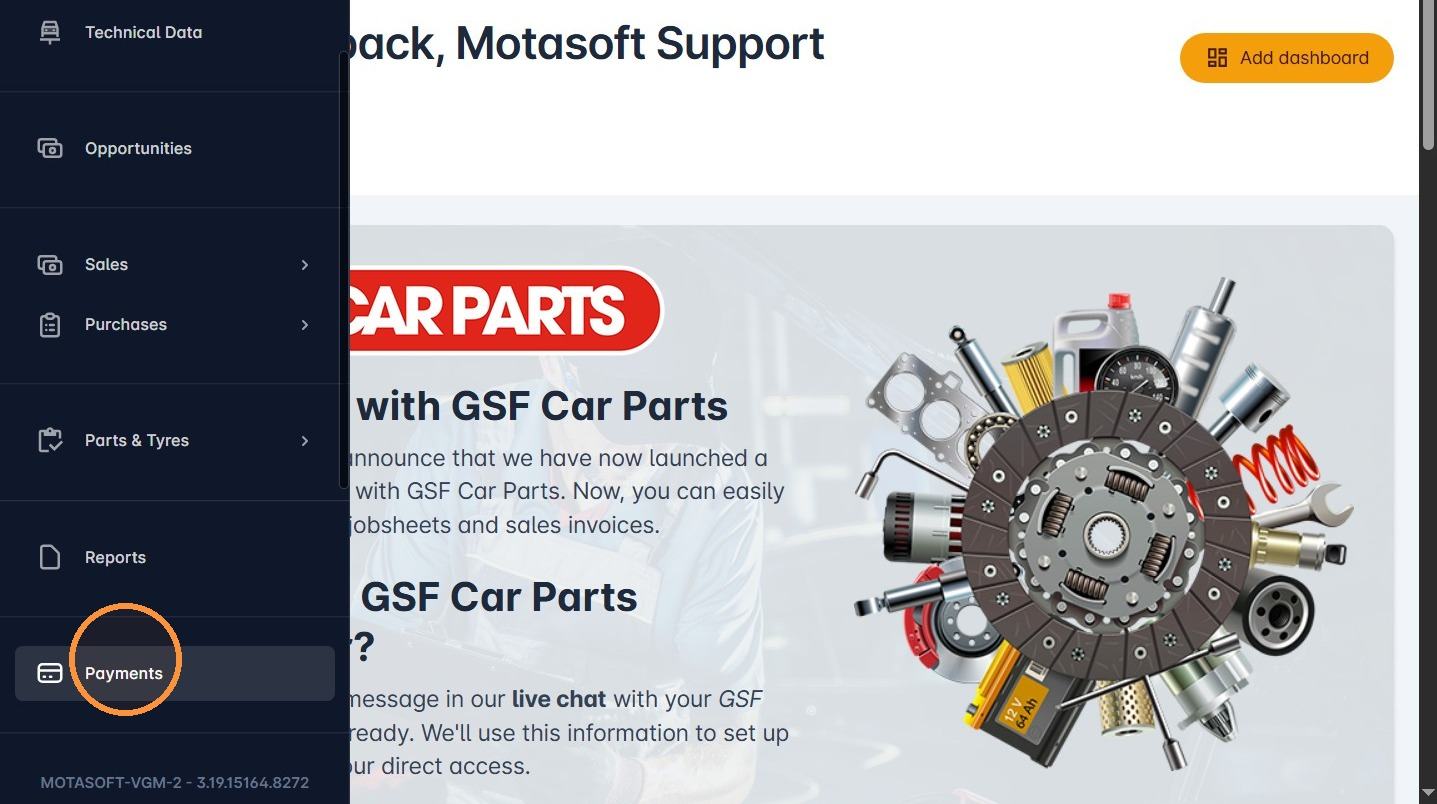
1. Once logged into VGM, click Payments.
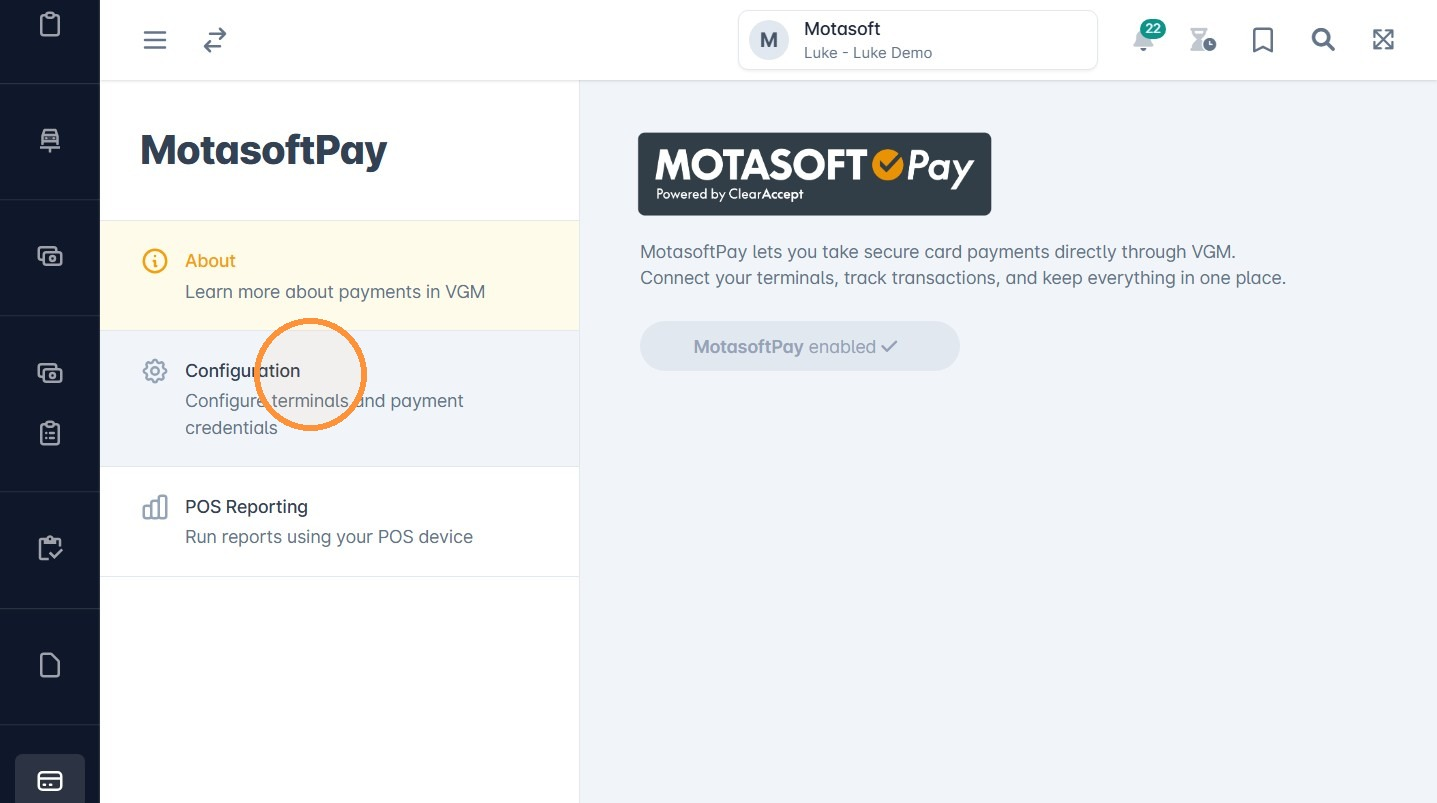
2. Click Configuration.
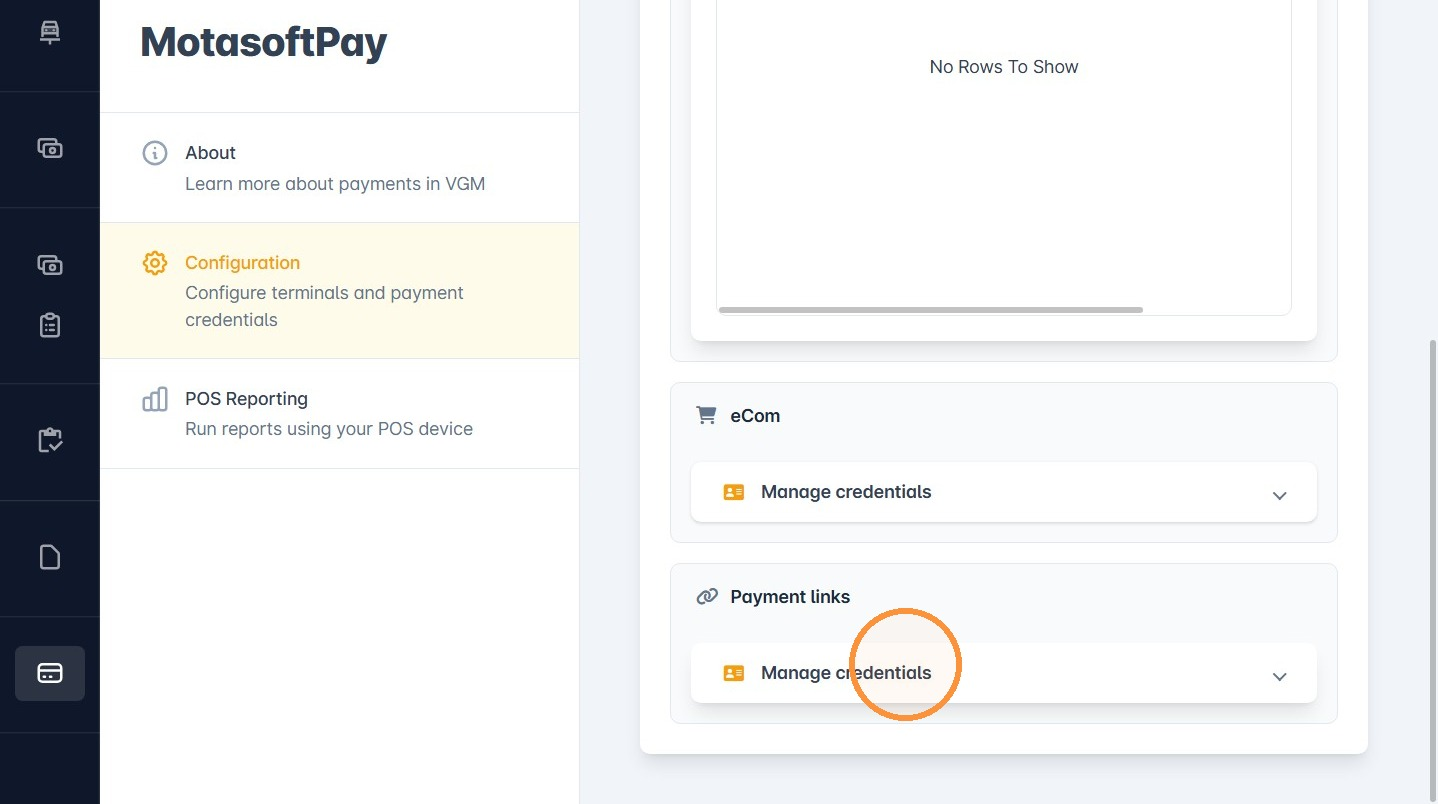
3. Click Manage credentials under Payment links.
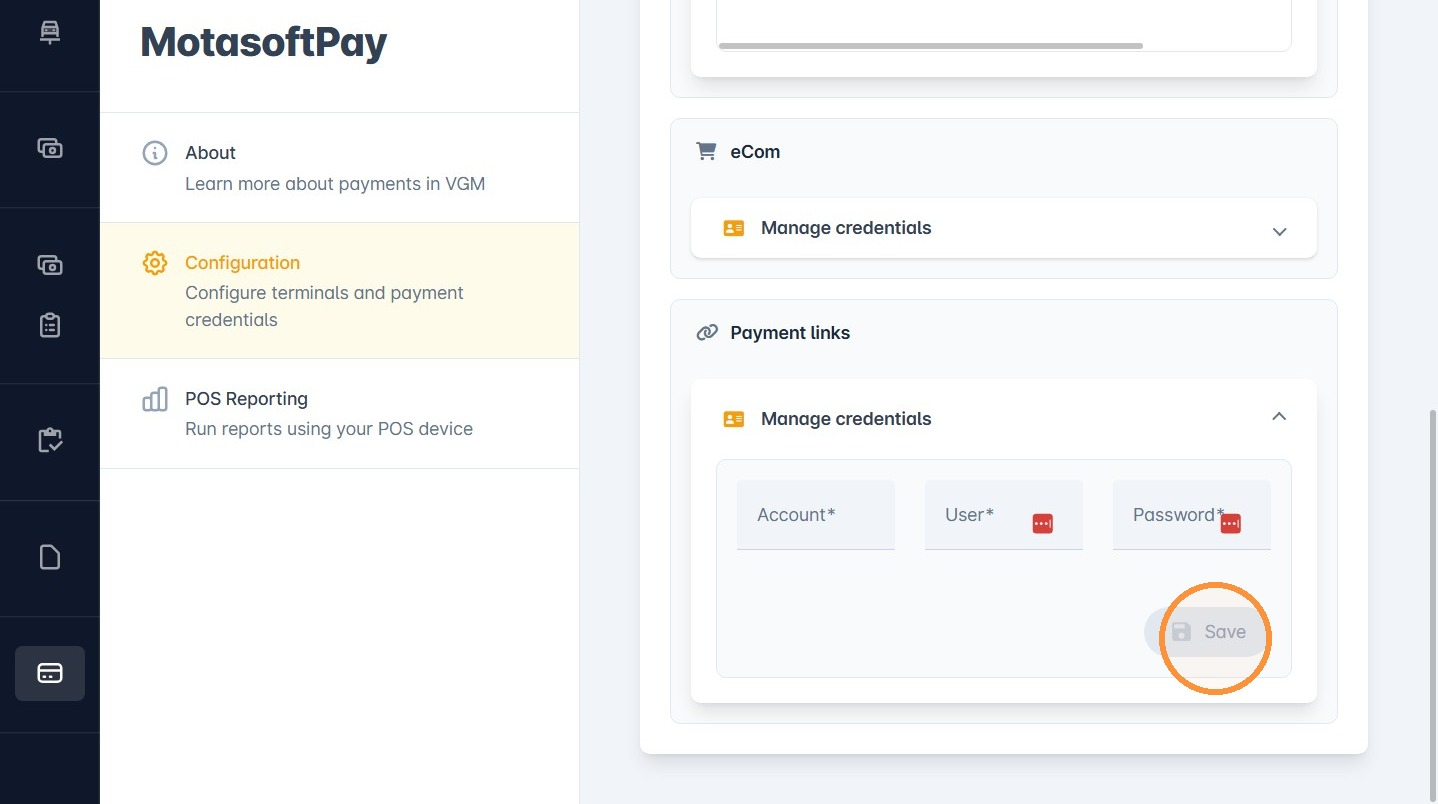
4. Enter the Connectpay account, user and password.
Click Save.
5. Once saved, payment links will be active on the system.
For payment links, we will provide the customer with the required DKIM records to add to their domain if they manage their own DNS. If we manage the DNS on their behalf, we will add the records for them. This ensures that payment link email confirmations can be sent directly to the customer’s email address.
Was this article helpful?
That’s Great!
Thank you for your feedback
Sorry! We couldn't be helpful
Thank you for your feedback
Feedback sent
We appreciate your effort and will try to fix the article