Issue a full or partial refund against a payment link payment from within the invoice.
1. It is also possible to issue a refund from within the invoice.
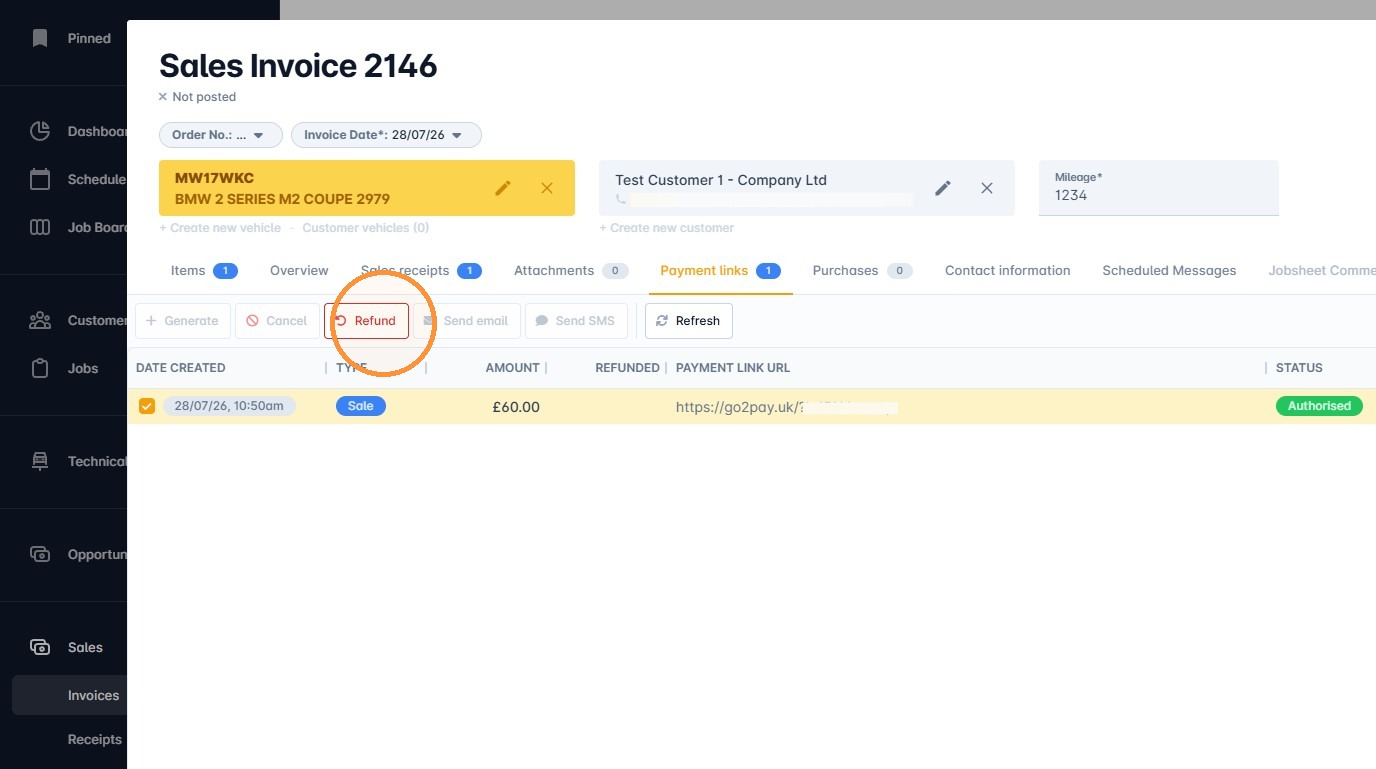
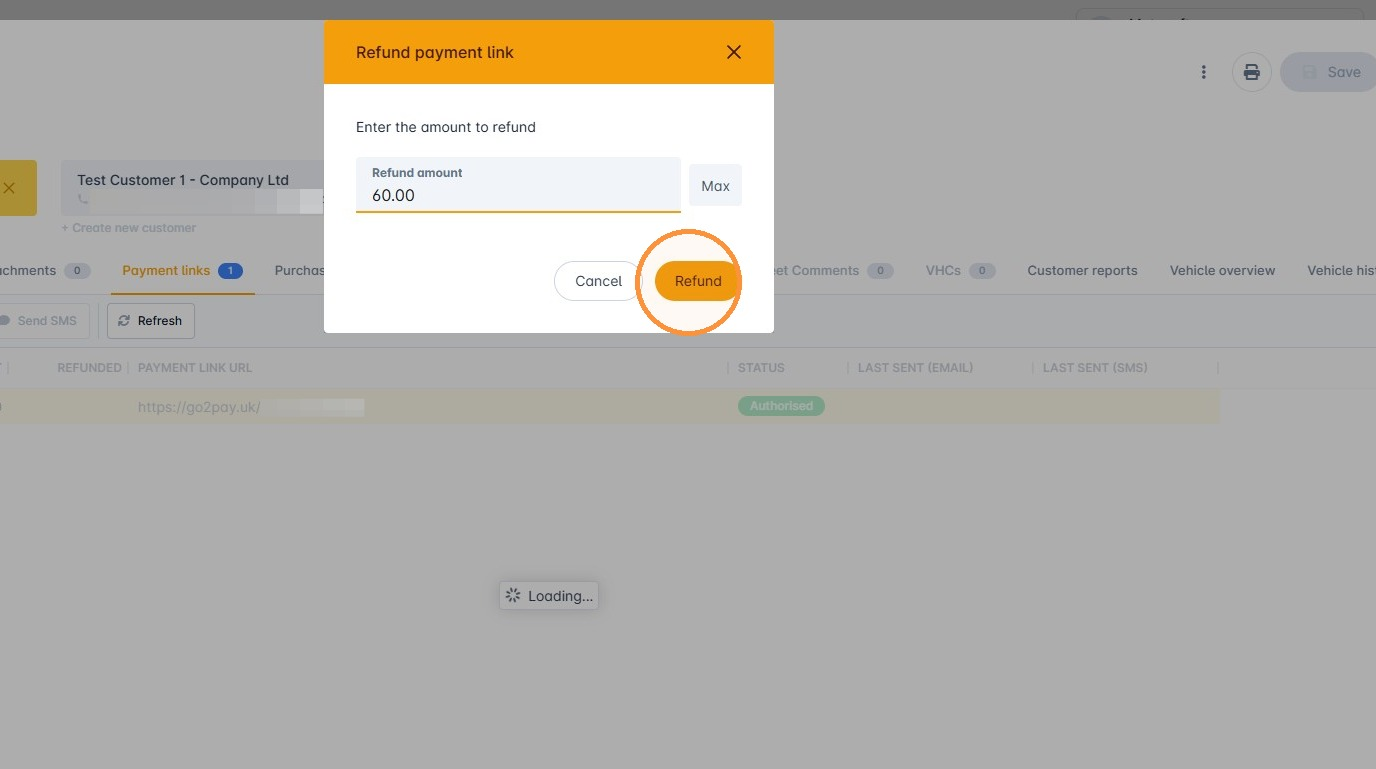
2. Click Refund and specify the amount. You can refund either a partial or the full amount.
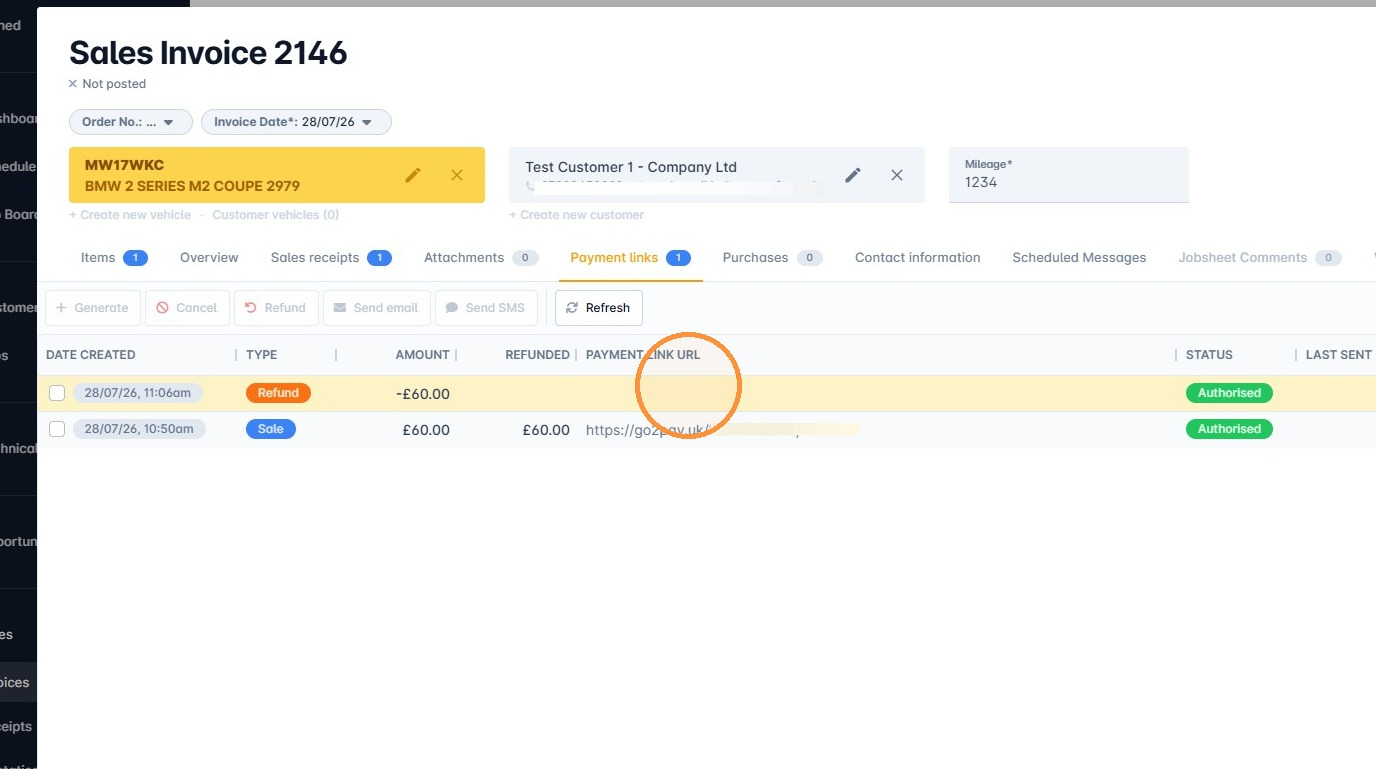
3. The refund will then show in the Payment links tab with the refunded amount against the sale. A sales refund will also have been created in VGM.
Was this article helpful?
That’s Great!
Thank you for your feedback
Sorry! We couldn't be helpful
Thank you for your feedback
Feedback sent
We appreciate your effort and will try to fix the article