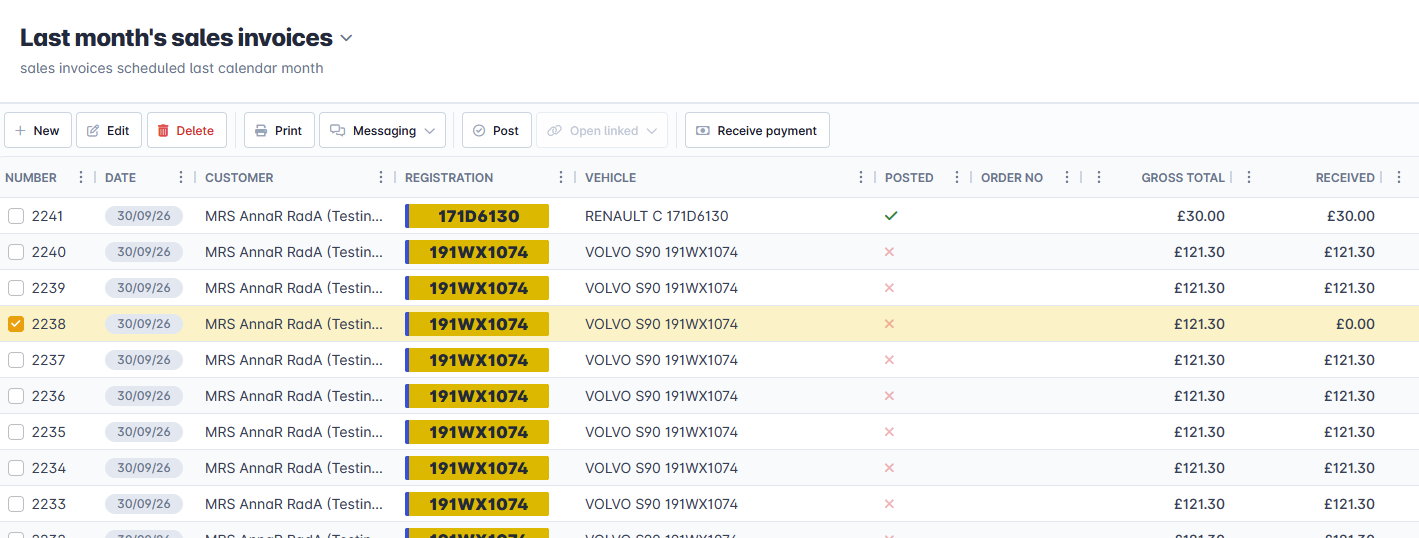
1. Navigate to the Sales Invoices grid, and select the invoice you want to receive payment for. Click Receive Payment.
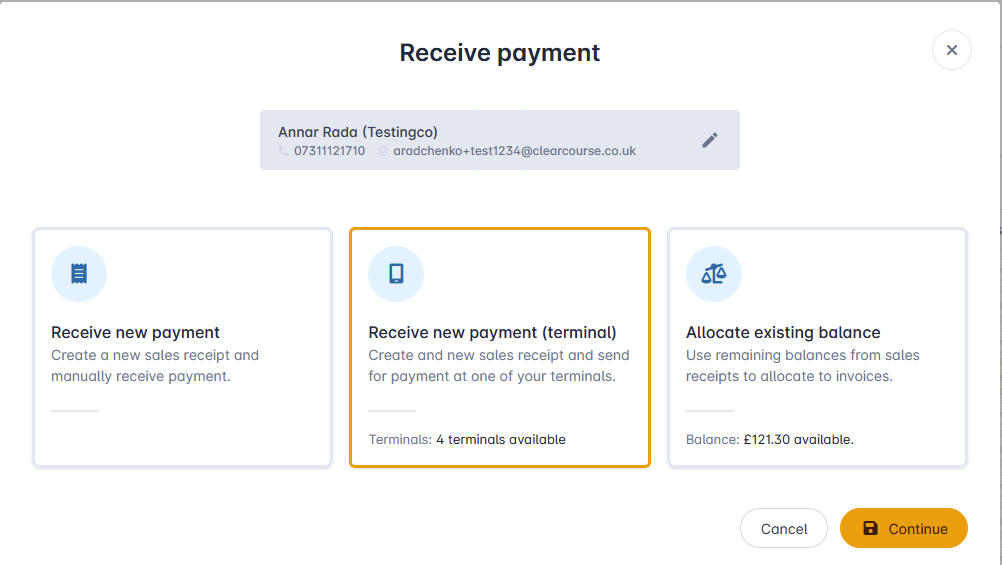
2. Select 'Receive New Payment (terminal) and click continue.
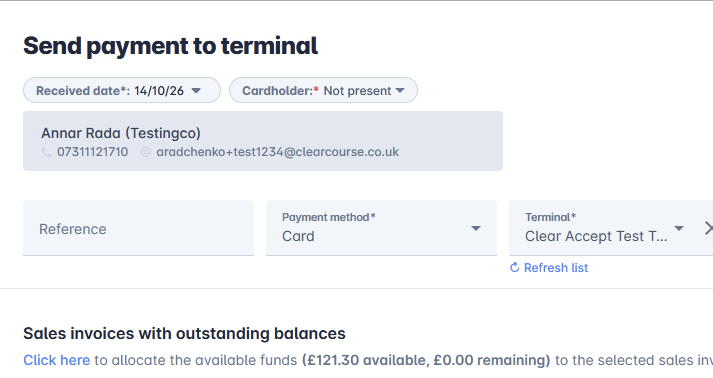
3. On the 'Send payment to terminal' step, ensure the 'Cardholder' drop down has the value 'Not present'. Then click 'Send to terminal'. This will then send the transaction to the selected terminal ready to enter the card details manually.
Was this article helpful?
That’s Great!
Thank you for your feedback
Sorry! We couldn't be helpful
Thank you for your feedback
Feedback sent
We appreciate your effort and will try to fix the article