Find out why rows failed in a stock import, correct them and reprocess them without uploading the whole file again.
Correct failed rows
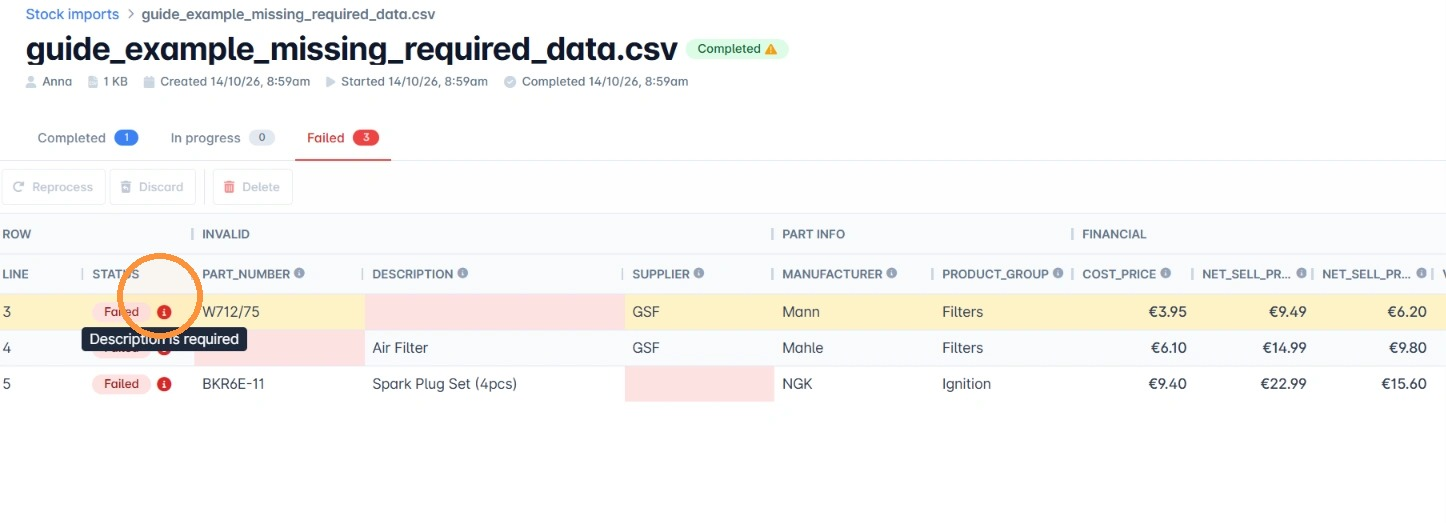
1. Open the import from the Stock imports screen and click the Failed tab. Hover over the Status cell on a row to see the error that needs correcting.
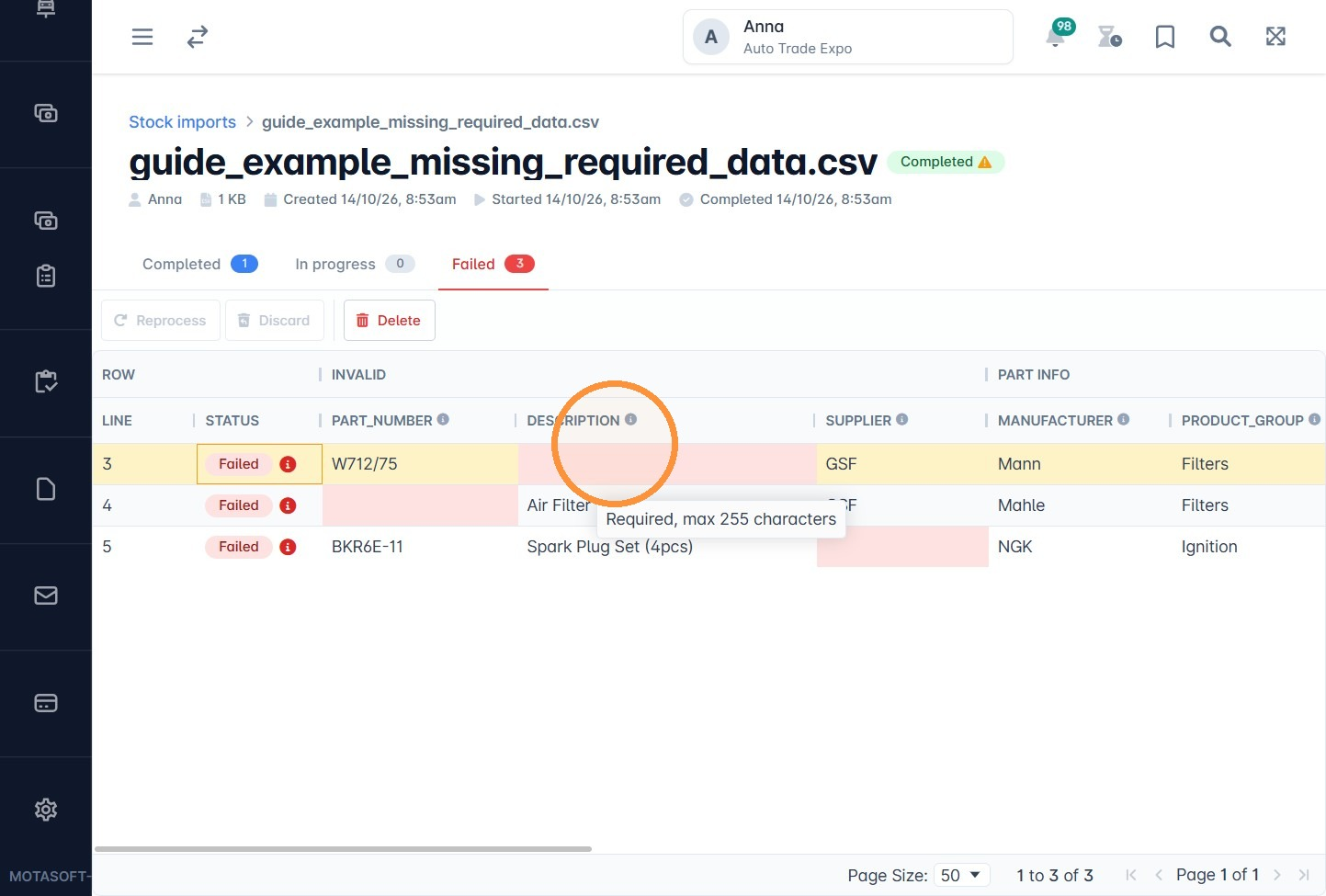
2. Click the cell with the problem and fix it. For example, if required data is missing, enter it.
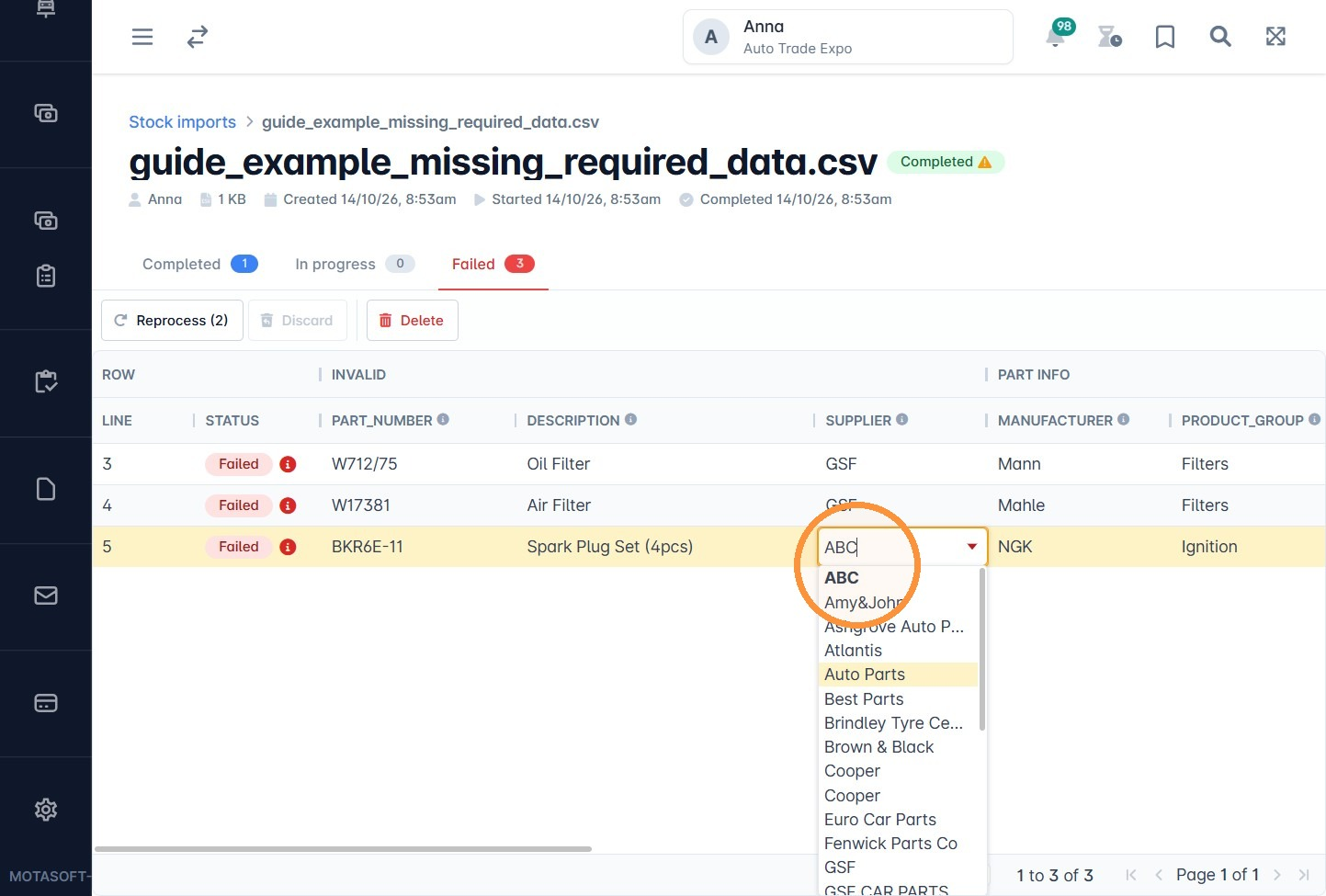
3. If the Supplier is missing, select one from your existing suppliers.
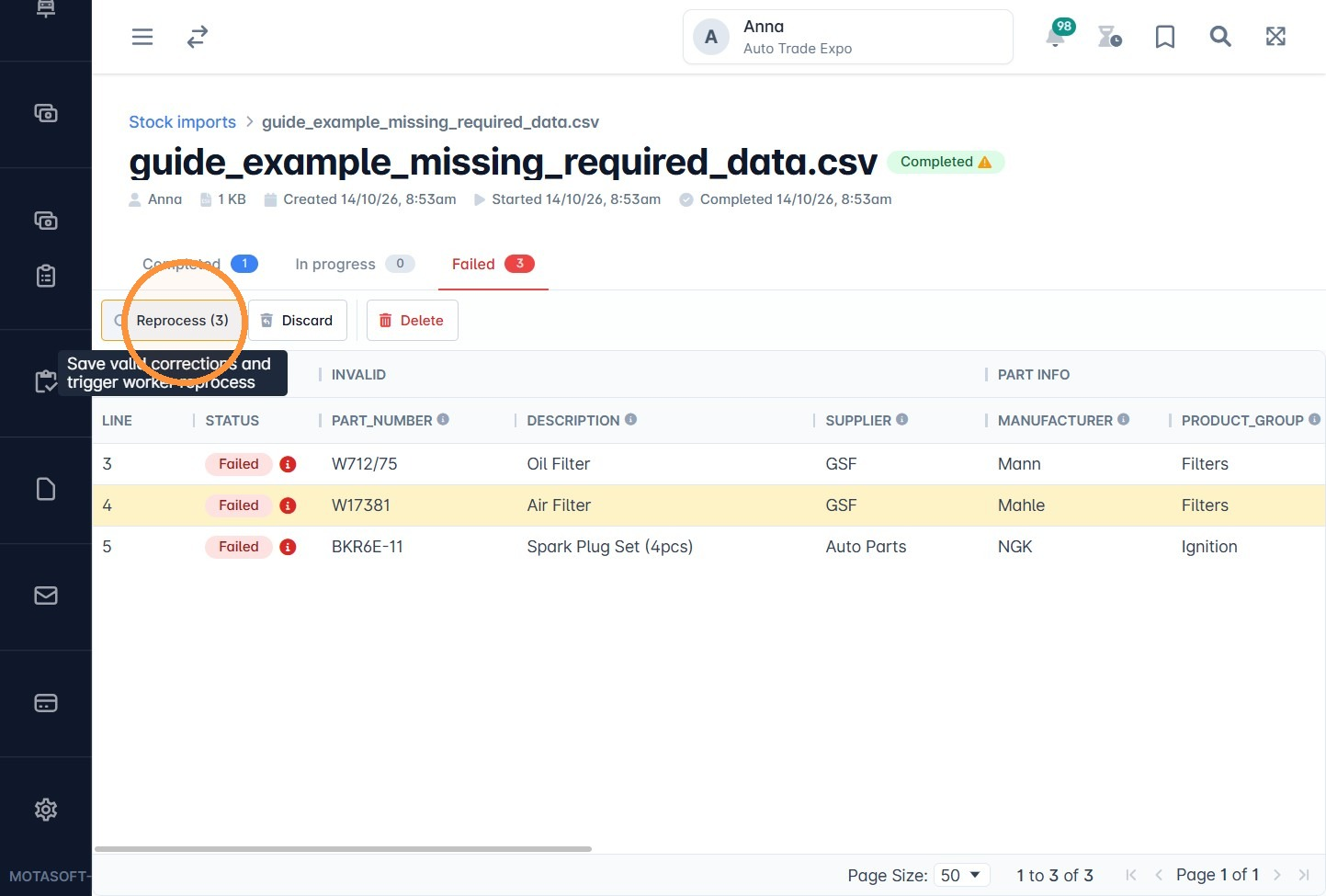
4. Click Reprocess. Rows that are now correct move to the Completed tab.
Common errors
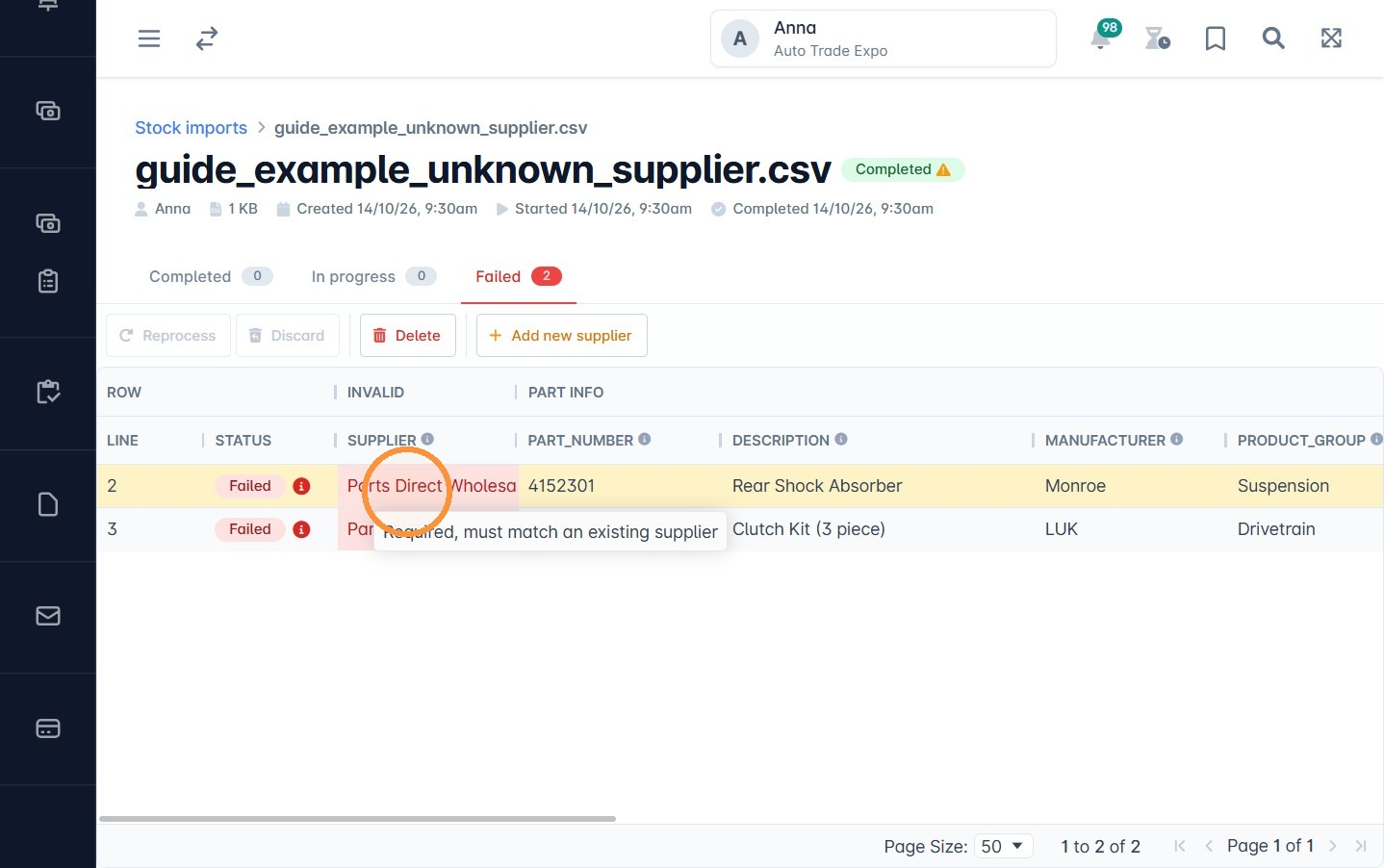
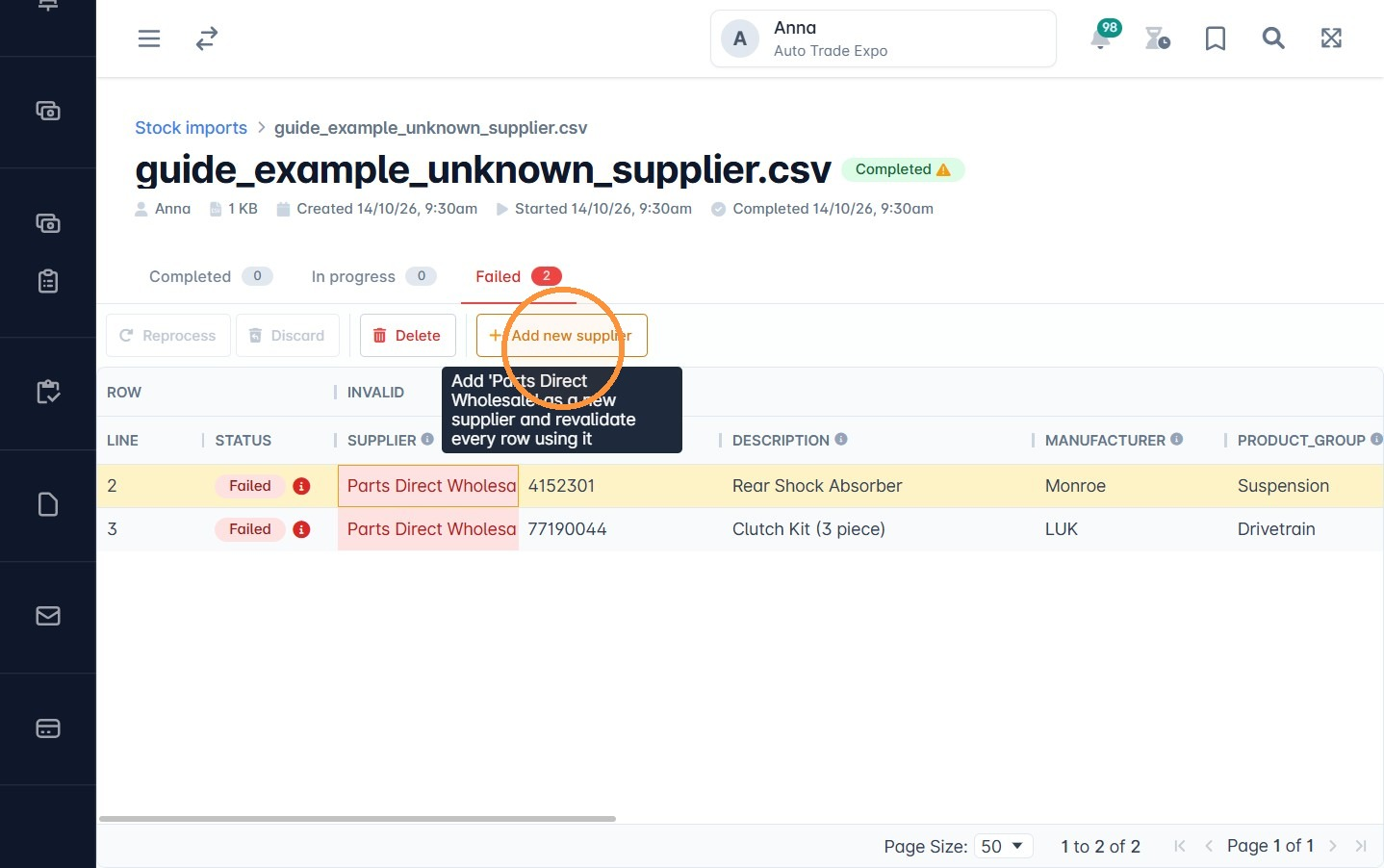
Supplier does not exist in VGM. Tick Create unknown suppliers before you import and VGM creates them for you. If you missed that, you can add the supplier from the results screen:
5. Click the cell with the supplier name.
6. Click Add new supplier.
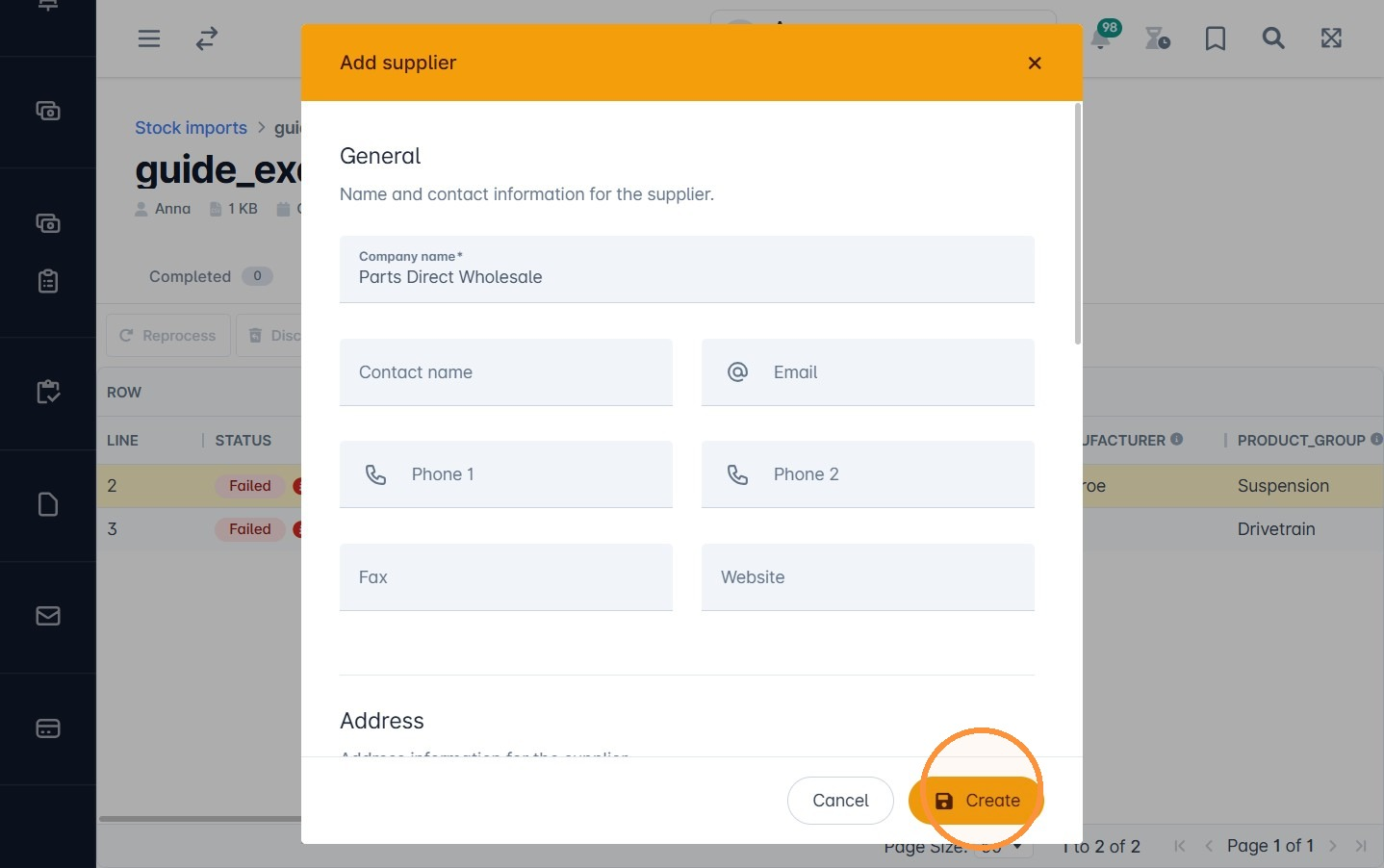
7. Fill in the supplier details and click Create, then click Reprocess.
Incorrect price format. Price fields must contain a plain number. Anything else makes the row fail with an error such as Cost/Retail price is not a valid number. Delete any extra characters, such as currency symbols. If you do not know the price yet, leave the cell empty for now. Then click Reprocess.
Duplicate part numbers. If your file has more than one row with the same part number, only the first row is processed. The other rows show an error. Check which row is correct and remove the duplicates from your file.
Was this article helpful?
That’s Great!
Thank you for your feedback
Sorry! We couldn't be helpful
Thank you for your feedback
Feedback sent
We appreciate your effort and will try to fix the article